Category: Startup Growth

  • Domain Search: The Key Feature Behind Smarter B2B Prospecting

    Domain Search: The Key Feature Behind Smarter B2B Prospecting

    The Practical Guide to Domain Search for Better B2B Email Discovery

    Missing the right contact by one search can stall an entire pipeline. Domain search solves that by turning a company website into a fast path to verified B2B emails, helping teams prospect faster, target better, and reduce wasted outreach.

    Domain search is one of the most practical ways to improve B2B email discovery. Instead of guessing at contacts or searching manually across multiple sources, teams can start with a company domain and quickly uncover likely business emails. That makes prospecting faster, more focused, and easier to scale.

    For sales teams, SDRs, marketers, and growth professionals, domain search is not just a convenience feature. It is often the core capability that determines whether an email finder tool is useful in real workflows.

    A useful benchmark: email bounce rates above 2% are often considered a warning sign for list quality, while many deliverability teams aim to keep bounces below 1% for healthier sending reputation [1]. That is one reason domain search plus verification is more than a workflow preference—it is a deliverability safeguard.

    What Domain Search Is and How It Works

    At a basic level, domain search uses a company website domain to identify people associated with that organization and surface their work email addresses. A strong tool may combine public data, pattern matching, historical records, and verification signals to produce results.

    In practice, this means you can search a target account, review likely contacts, and move from research to outreach much faster. The best tools make the process simple: enter a domain, filter by role or department, and export the contacts you need.

    Tip: Before searching, confirm the company’s primary domain from its website footer or contact page. Using the wrong domain can return irrelevant contacts or miss sub-brands tied to the account.

    Domain-based lookup is especially effective because many organizations use predictable email formats. Common patterns include first.last@domain.com, first@domain.com, and firstinitiallast@domain.com. Even when the exact pattern is not public, pattern inference can help tools generate likely matches before verification.

    Tip: If a tool shows multiple possible email patterns, test the most common one against a verified contact before building a larger list. That can help you avoid scaling a weak pattern across an entire account.

    Why Domain Search Improves Email Accuracy

    Domain search improves accuracy because it narrows the search to a specific company rather than a broad list of names or generic addresses. That reduces guesswork and helps teams focus on relevant contacts.

    It also works best when paired with verification, since even a strong match can still be outdated. A reliable workflow is domain search first, then email verification before sending. This combination lowers bounce risk and improves deliverability. It also helps teams avoid wasting time on contacts that no longer work at the target company.

    Tip: Treat unverified results as research inputs, not send-ready contacts. Move only verified emails into active sequences so your outreach list stays cleaner.

    There is also a scale advantage: B2B data decays quickly. Research from data providers and sales operations teams commonly shows that contact data can become stale at meaningful rates each year due to job changes, company moves, and role changes [2]. That makes freshness just as important as initial match quality.

    Key Email Finder Features That Support Domain Search

    When comparing email finder tool features, look beyond the search box itself. The strongest platforms support domain search with features that improve quality and speed.

    Key capabilities include:

    • Bulk search for larger account lists
    • Email verification to confirm deliverability
    • Contact enrichment to add job titles and company details
    • CRM integrations for smoother handoff
    • Export options for sales prospecting tools workflows
    • Confidence scoring or match indicators
    • Role and department filters
    • Domain-level pattern detection

    A useful tool should also show confidence levels or match indicators so users can judge whether a result is strong enough for outreach. If a platform offers only basic lookup without verification or enrichment, it may be too limited for serious lead generation software use.

    One practical detail many teams overlook: bulk search can dramatically reduce manual work. If a rep spends even 2 minutes per contact on manual lookup, a 100-contact list can consume more than 3 hours before outreach even begins. Bulk domain search compresses that time into a single workflow.

    Tip: Use role and department filters before exporting. Narrowing by function first usually produces a smaller, more relevant list than exporting every available contact and sorting later.

    How Domain Search Improves Prospecting Efficiency and Data Quality

    Domain search helps teams work faster because it removes much of the manual effort from contact discovery. Instead of searching one person at a time, users can build lists around target accounts and roles.

    That improves efficiency, but it also supports better data quality. Clean, verified results are easier to route into CRM systems and outreach sequences. The main benefit is consistency: teams can use the same process across campaigns, which makes prospecting more repeatable and easier to measure.

    For organizations that rely on scale, this is a major advantage.

    It also supports better segmentation. For example, a team can search the same domain for finance, operations, and marketing contacts, then tailor messaging by function. That is often more effective than sending one generic sequence to a broad list.

    Tip: Build separate lists by function or seniority instead of mixing them in one export. That makes it easier to personalize messaging and measure which segment responds best.

    Common Sales and Marketing Use Cases for Domain Search

    Sales teams often use domain search to find decision-makers at target accounts, while marketers use it to build segmented lists for campaigns. SDRs may use it to support outbound prospecting, and growth teams may use it to enrich account lists before launching a sequence.

    It is also useful for account-based marketing, where precision matters more than volume. In each case, the goal is the same: find the right contact faster and with less manual work.

    Internal links can support this section well, especially to resources on lead generation strategies, sales prospecting workflows, and account-based marketing.

    A less obvious use case is territory planning. Teams can search domains across a named account list to estimate contact coverage by region, department, or seniority before launching a campaign.

    Tip: For account-based campaigns, search the same domain for multiple stakeholders, not just one primary contact. Buying committees often include several roles, and missing one can weaken the sequence.

    How to Choose the Best Domain Search Tool for Your Team

    To choose the best domain search tool, compare platforms using a simple buyer checklist.

    Start with accuracy: does the tool verify emails before you export them? Next, review coverage: does it perform well in your target industries and regions? Then assess enrichment depth, bulk search limits, CRM integration quality, and pricing.

    A strong tool should also fit your workflow, not just your budget. Here is a quick comparison framework:

    1. Basic lookup only
    2. Lookup plus verification
    3. Lookup plus verification and enrichment
    4. Lookup plus verification, enrichment, bulk search, and CRM sync

    The last option is usually the best fit for teams that need reliable prospecting at scale. Also watch for limitations such as outdated data, incomplete coverage, and false positives. Even the best domain search tools need verification before outreach.

    If your team depends on deliverability, connect this evaluation with email verification and contact enrichment resources to make the decision more practical.

    A useful buying signal is transparency. Vendors that explain how they source, verify, and refresh data tend to be easier to evaluate than tools that only advertise “millions of contacts” without methodology.

    Tip: Ask vendors how often they refresh records for your target regions or industries. Refresh cadence matters because data quality can vary by market and company size.

    Best Practices for Using Domain Search in Outreach Workflows

    Use domain search as part of a repeatable workflow, not as a one-off search tactic. Start with a target account list, run domain search, verify the results, enrich the contacts, and then push them into your CRM or outreach sequence.

    Keep your filters tight so you do not overload your pipeline with weak matches. It also helps to align search criteria with your ideal customer profile, since better inputs usually produce better outputs.

    For outreach, pair this process with cold outreach best practices so your messaging matches the contact and account context. That makes the data more useful and the outreach more relevant.

    A practical rule: prioritize verified, role-relevant contacts over larger unverified lists. Smaller lists with stronger fit often outperform bigger lists with weaker data because they reduce bounce risk and improve reply quality.

    Tip: Save your search settings for repeat campaigns. Reusing the same filters and workflow makes it easier to compare results across lists and spot what is actually improving performance.

    Useful Metrics to Track for Domain Search Performance

    If you want domain search to improve pipeline quality, track it like a system rather than a feature.

    Useful metrics include:

    • Search-to-contact match rate
    • Verification pass rate
    • Bounce rate after outreach
    • Reply rate by domain source
    • CRM sync success rate
    • Time saved per list build
    • Percentage of contacts enriched with title and company data

    These metrics help teams see whether domain search is actually improving prospecting or just creating more records. For example, a high match rate with a low verification pass rate may indicate weak data quality. A strong verification pass rate with poor reply rates may suggest the issue is targeting, not data.

    Tip: Review these metrics by campaign, not just in aggregate. A tool can look strong overall while underperforming for a specific industry, region, or persona.

    Conclusion: Choosing the Right Domain Search Tool for Reliable Email Discovery

    Domain search is a core capability in modern B2B email discovery. It helps teams find relevant contacts faster, improve accuracy, and scale prospecting without relying on manual research.

    When evaluating tools, focus on domain search quality, verification, enrichment, integrations, and coverage. The best choice is not simply the tool with the most features. It is the one that gives your team reliable results, fits your workflow, and supports consistent outreach.

    If you are comparing B2B email finding tools, make domain search the starting point of your decision.

    Final Checklist

    • Confirm the correct company domain before searching
    • Verify every email before adding it to a sequence
    • Filter by role or department before exporting
    • Track bounce and reply rates by source
    • Reuse the same workflow for every campaign

    The real advantage is not finding more emails; it is finding fewer bad ones. Start with one target account list, run domain search with verification, and measure the difference in bounce rate and reply quality on your next campaign.

    FAQ

    What Is Domain Search in a B2B Email Finder Tool?

    Domain search lets you enter a company domain and find likely business email addresses tied to that organization. It is a core method for B2B email discovery because it helps teams identify contacts faster than manual research.

    Why Is Domain Search Important for Email Discovery?

    Domain search improves targeting by connecting a company domain to relevant contacts, which saves time and supports more accurate prospecting. It is especially useful when sales teams need to build lists quickly without sacrificing relevance.

    How Accurate Is Domain Search Data?

    Accuracy depends on the tool’s data sources, verification process, and update frequency. Strong tools combine domain search with email verification to reduce outdated or invalid results before outreach.

    What Features Should a Good Email Finder Tool Include?

    Look for verification, enrichment, bulk search, CRM integrations, and clear coverage indicators. The best tools also show confidence signals so you can judge whether a result is ready for outreach.

    Can Domain Search Help with Lead Generation?

    Yes. Domain search supports lead generation by helping teams identify contacts at target accounts faster, which improves list building and outreach speed. It is especially valuable for account-based marketing and sales prospecting workflows.

    How Do I Choose the Best B2B Email Finding Tool?

    Choose a tool based on accuracy, coverage, enrichment, bulk search, CRM integration, and pricing. The best option is the one that fits your workflow, supports deliverability, and performs well in your target market.

    References

    [1] Validity — Email Bounce Rate Guide

    [2] ZoomInfo — Data Decay and B2B Contact Data Freshness

    Loading

  • Domain Email Finder Tools Explained: How to Choose the Right One

    Domain Email Finder Tools Explained: How to Choose the Right One

    The Practical Guide to Choosing the Right Domain Email Finder Tool

    Need the right business contact fast? The wrong email finder wastes time, hurts deliverability, and misses prospects. This guide shows how domain email finder tools work, what to compare, and how to choose one that improves accuracy, outreach, and compliance.

    What a Domain Email Finder Does

    A domain email finder is a tool that helps you find verified business email addresses associated with a company domain. It is commonly used by sales teams, marketers, recruiters, and founders who need to reach the right person at the right company. Unlike generic contact lists, a domain email finder focuses on business domains and B2B prospecting.

    In practice, this matters because email remains one of the highest-ROI outreach channels: Litmus reports that email marketing can return an average of $36 for every $1 spent [1]. That makes contact accuracy especially important, since even a small bounce rate can reduce campaign performance and sender reputation.

    Tip: Start with your target account list and define the exact contact role you need before searching. That keeps lookups focused and reduces wasted exports.

    How Domain Email Finder Tools Work

    Most tools start with a company domain and then search for likely employee email patterns, public records, and enrichment data. Some tools guess formats such as first.last@company.com, while others verify the result before export. The best tools combine discovery and verification so you can reduce bounce risk and improve outreach quality.

    A useful detail: many companies use only a handful of common email patterns, and tools often infer them from publicly visible addresses or historical data. Verification usually checks whether an address can receive mail without necessarily sending a message, which is why a verified result is still not a guarantee of response.

    Tip: If you already know one valid address at the company, compare its format with the tool’s suggested pattern to judge whether the result is likely to be accurate.

    Which Tool Type Fits Sales, Marketing, and Recruiting?

    Different teams need different capabilities. Sales teams usually want fast lookup, CRM integration, and export options. Marketing teams often care more about list building, enrichment, and campaign readiness. Recruiters may prioritize accuracy, role matching, and easy contact discovery. If compliance matters most, choose a domain email finder with strong verification, clear data sourcing, and controls for responsible use.

    A practical benchmark: B2B data decays quickly as people change jobs, companies rebrand, and domains shift. Gartner has estimated that B2B data decays at about 2.1% per month [2], which means roughly one in five records can become outdated in a year if not refreshed.

    Tip: Match the tool to the team’s main workflow, not just the lowest price. A sales team may need CRM sync, while recruiting may need better role filtering.

    Main Types of Email Finder Tools

    There are several categories of email finder tools. Domain-based search tools find emails from a company website or domain. Name-based tools search by person and company. Enrichment tools add missing contact details to existing records. Verification tools check whether an email is valid before you send. Many platforms combine two or more of these functions, but it helps to know which type solves your main problem.

    A less obvious distinction is between discovery and validation. Discovery tools try to identify the address; validation tools test whether it is likely deliverable. If you only need one, you may not need a full-suite platform.

    Tip: Use discovery for building new lists and validation for cleaning existing ones. That separation helps you avoid paying for features you will not use.

    Domain-Based Search vs Other Email Finding Methods

    Domain-based search is useful when you know the company but not the contact. Name-based search works better when you already know the person. Enrichment is best for improving incomplete lead records. Verification is not the same as finding an email; it confirms whether an address is likely deliverable. Understanding this difference helps you choose the right domain email finder for your workflow.

    For example, if you already have a list of 1,000 leads, enrichment and verification may be more valuable than discovery. If you are building a target account list from scratch, domain-based search is usually the faster starting point.

    Tip: Audit your current lead process first. If most of your time is spent filling missing fields, enrichment matters more than raw search volume.

    Key Features to Compare in a Domain Email Finder

    Look for accuracy, verification, data freshness, and easy exports first. Then compare pricing model, free trial availability, team-size fit, and usage limits. For many teams, CRM integrations matter just as much as search quality because they reduce manual work. Also check whether the tool supports bulk lookup, domain search, and contact enrichment. If your team runs outbound campaigns, review how the tool supports email deliverability and connects with your cold email best practices. For sales ops and pipeline teams, CRM integrations can be a major time saver.

    Other features worth comparing include confidence scoring, API access, role filters, and domain-level search depth. Some tools also show the source of the match or the reason an address was selected, which can help teams audit results before sending.

    Tip: Test the tool on a small sample of your ideal accounts and compare the results against known contacts. That gives you a realistic view of accuracy before you commit.

    Benefits for Sales, Marketing, and Recruiting Teams

    A good domain email finder can speed up prospecting, improve lead generation, and reduce time spent on manual research. Sales teams can build targeted outreach lists faster. Marketing teams can create cleaner audiences for campaigns. Recruiters can identify the right business contacts without relying on guesswork. These benefits are strongest when the tool also supports verification and workflow automation. For broader pipeline strategy, it can also support B2B lead generation efforts.

    There is also a measurable operational benefit: reducing manual research time by even a few minutes per lead can add up quickly across large outbound programs. For teams working at scale, that time savings often matters as much as raw accuracy.

    Tip: Track bounce rate and time saved during your first campaign cycle. Those two metrics make it easier to judge whether the tool is actually improving performance.

    Common B2B Prospecting Use Cases

    Common use cases include finding decision-makers at target accounts, building account-based marketing lists, sourcing candidates, and enriching inbound leads. Teams also use domain email finder tools to validate contact data before launching outreach. In many workflows, the tool sits alongside sales prospecting software and contact enrichment tools to create a more complete lead process.

    Other less obvious use cases include partner outreach, event follow-up, investor relations, and vendor sourcing. In each case, the goal is the same: reach the right person without wasting sends on generic inboxes.

    How to Evaluate Accuracy, Verification, and Compliance

    Start by checking how the tool sources data and how often it refreshes records. Then test verification quality by comparing results against known contacts. Review bounce rates, confidence scores, and whether the platform explains why an email was found. Compliance matters too, especially for teams working across regions. Make sure the tool supports responsible use, clear opt-out handling, and policies that align with your outreach process. If deliverability is a priority, pair your domain email finder with email verification tools and a deliverability review before sending.

    A useful rule of thumb: if a tool cannot explain its confidence level or refresh cadence, it is harder to trust at scale. Also remember that verification quality can vary by mailbox provider, so a tool that performs well on one domain may not perform equally well on another.

    Tip: Review the tool’s opt-out and suppression handling before sending any campaign. That helps you avoid re-contacting people who should not receive follow-up.

    How to Choose the Right Tool for Your Workflow

    The best choice depends on your team size, budget, and use case. Small teams often need a simple, affordable tool with a free trial and easy exports. Larger teams may need bulk search, API access, and CRM integrations. Sales-led teams should prioritize speed and pipeline fit. Marketing teams should focus on list quality and enrichment. Recruiting teams should look for accuracy and role relevance. Before buying, compare pricing model, free trial terms, data freshness, export limits, and how well the tool fits your current stack.

    It also helps to test the tool on a small sample before committing. A short pilot can reveal whether the platform is strong at your target industries, regions, or company sizes.

    Tip: Build a simple scorecard with accuracy, ease of use, integrations, and cost per usable contact. A scorecard makes vendor comparisons much easier.

    Quick Comparison Checklist

    Use this checklist before choosing a domain email finder:

    • Does it support domain-based search and bulk lookup?
    • Does it verify emails before export?
    • How often is the data refreshed?
    • Does it integrate with your CRM or outreach stack?
    • Are confidence scores or source details available?
    • What are the export, API, and usage limits?
    • Does the pricing model fit your expected volume?
    • Does it support responsible use and opt-out handling?

    Conclusion

    A domain email finder is most valuable when it helps you find accurate business contacts without slowing down your workflow. The right tool depends on whether you are focused on sales, marketing, recruiting, or compliance. By comparing search type, verification, integrations, pricing, and data quality, you can choose a domain email finder that supports better outreach and cleaner results.

    Final Decision Rule

    Accuracy beats volume. Pick the tool that gives you the highest share of usable contacts in your real workflow, not the one with the biggest database claim.

    Before you buy, run one pilot and measure:

    • usable contacts found
    • bounce rate after send
    • time saved per lead
    • CRM or export friction

    If the tool improves those four numbers, keep it. If not, move on.

    References

    [1] Litmus — State of Email

    [2] Gartner — B2B Data Decay Estimate

    Loading

  • Email Finder vs Manual Research: Which Is Better for B2B Leads?

    Email Finder vs Manual Research: Which Is Better for B2B Leads?

    Email Finder Tool vs Manual Research: Which Is Better for B2B Emails?

    Missing the right email address can stall a deal before it starts. If your team needs to reach decision-makers, build prospect lists, or launch cold outreach, the choice between an email finder tool and manual research directly affects speed, accuracy, and results. This article shows which method fits your workflow and what you gain from each.

    Why this choice matters in B2B outreach

    B2B email remains one of the highest-volume channels for outbound sales, but inbox competition is intense. In many industries, sales teams may send dozens or even hundreds of emails per rep each day, so even a small improvement in contact accuracy can have a measurable impact on reply rates and pipeline creation. Research also shows that email continues to be a core channel for marketers and sales teams because it is direct, measurable, and scalable [1].

    Tip: Before scaling outreach, define one clear success metric such as verified contact rate or meetings booked per 100 emails. That makes it easier to compare methods later.

    What an Email Finder Tool Does for B2B Prospecting

    An email finder tool helps locate business email addresses from names, company domains, or other company data. In simple terms, it automates the process of searching for contact details that would otherwise take time to find manually. Many B2B email finder platforms also include verification features, making it easier to identify verified business emails for outreach.

    Common capabilities beyond basic lookup

    Modern tools often do more than return an address. Depending on the platform, they may also provide:

    • Domain-based search for company-wide contact discovery
    • Bulk enrichment for CRM records
    • Confidence scores or verification status
    • Role-based filtering for decision-makers
    • Export options for sales engagement tools

    These features matter because B2B data decays quickly. Job changes, company moves, and domain changes can make contact lists stale, which is why verification and enrichment are often as important as discovery.

    Tip: Use role-based filters first, then enrich the list with company data. That keeps your outreach focused on the people most likely to influence the deal.

    How Manual Email Research Works

    Manual email research usually involves searching company websites, LinkedIn profiles, press releases, and other public sources to identify a likely email address. Teams may also use naming patterns, domain clues, and trial-and-error methods to confirm contact details. This approach can work well, but it often takes more time and effort than using an email lookup tool.

    Typical manual research signals

    Researchers often look for clues such as:

    • Author bios on blog posts or press releases
    • Contact pages and media kits
    • Conference speaker pages
    • Public PDFs and investor documents
    • Email patterns used elsewhere in the same domain

    A common pattern is first.last@domain.com, but many organizations use less obvious formats. That means manual research can be accurate when the pattern is known, yet inefficient when it is not.

    Tip: When researching manually, check two or three public sources before guessing an address. That reduces the chance of sending to the wrong person.

    Email Finder Tool vs Manual Research: The Key Differences

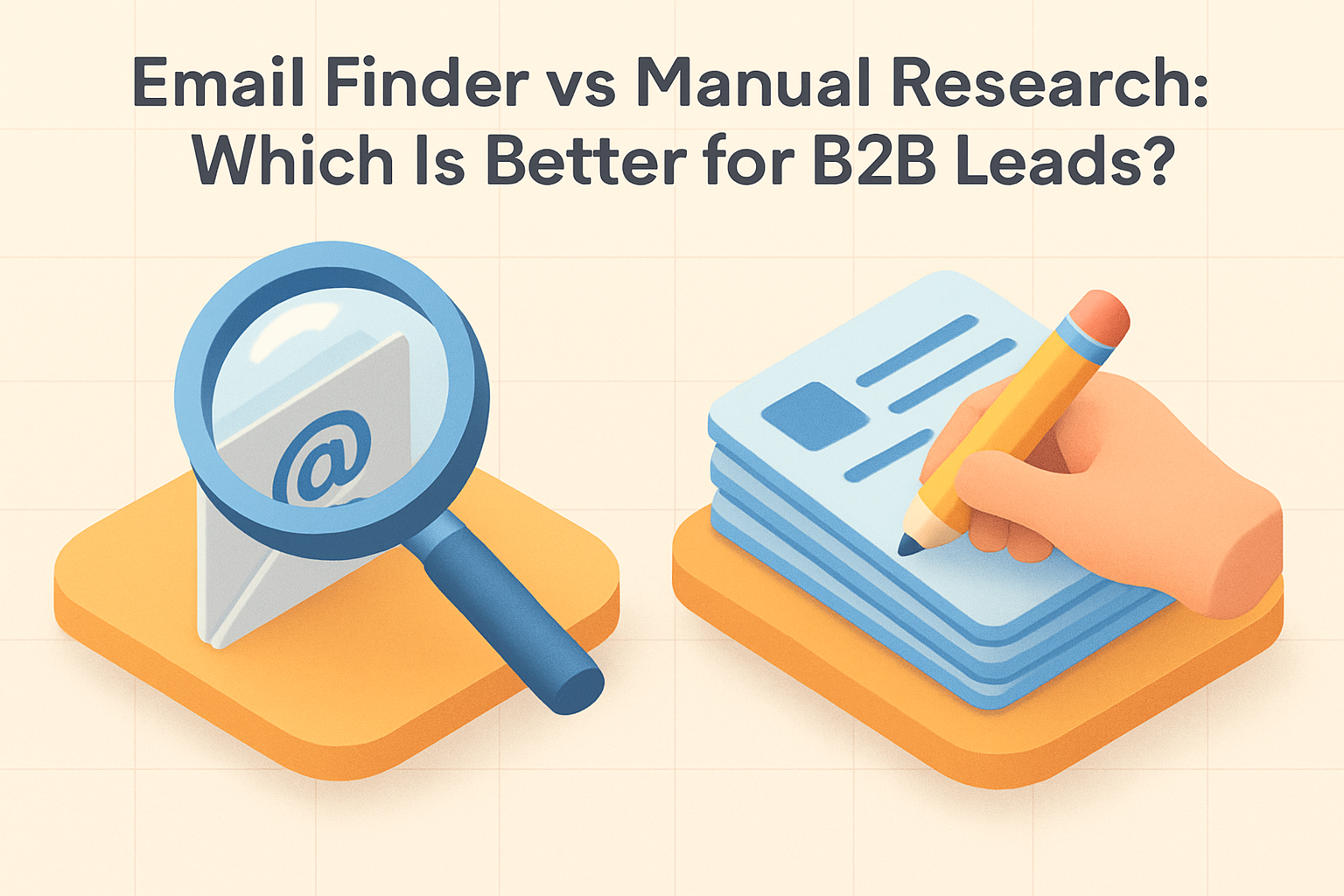
    The biggest difference between email finder vs manual research is efficiency. An email finder tool is built for speed and scale, while manual research is more hands-on and often better suited to smaller, targeted lists. For sales lead generation, tools usually win on volume, while manual research can offer more context for specific accounts.

    Side-by-side comparison

    Factor Email Finder Tool Manual Research
    Speed Fast, often minutes for large lists Slow, especially at scale
    Scale High-volume prospecting Best for small lists
    Accuracy Strong when paired with verification Can be precise, but inconsistent
    Context Limited unless enriched Often richer account insight
    Cost Software cost, lower labor cost Lower software cost, higher labor cost
    Best use case Outbound campaigns, CRM enrichment Strategic accounts, personalization

    A practical benchmark

    If a rep spends 5 minutes researching one contact manually, 100 contacts can consume more than 8 hours of work. At 2 minutes per contact, that still equals over 3 hours. By contrast, a tool can often process the same list in a fraction of that time, which is why automation becomes more valuable as list size grows.

    Tip: Use manual research only on the top tier of your target list. A simple 80/20 split often saves time without sacrificing personalization.

    Accuracy and Verification: Which Method Delivers Better Data?

    Accuracy matters because sending to bad data hurts deliverability and wastes outreach effort. Email finder tools are most useful when they include verification or confidence scoring. Manual email research can sometimes uncover the right contact, but it may also lead to outdated or unverified addresses. For best results, teams should verify business emails before adding them to a campaign.

    Why verification matters

    Email deliverability is affected by bounce rates, sender reputation, and engagement. Even a small number of invalid addresses can create problems for a campaign, especially when lists are large. Industry guidance commonly recommends keeping bounce rates low and maintaining clean lists to protect deliverability [2]. For a deeper look at setup pitfalls, see Email Verification Setup: Common Mistakes and How to Fix Them.

    Less obvious data-quality risks

    • Role-based inboxes such as info@ or sales@ may not reach a decision-maker
    • Catch-all domains can make verification less certain
    • Mismatched job titles can send outreach to the wrong stakeholder
    • Old data can look valid but still fail to convert

    In practice, the best-performing teams do not rely on discovery alone. They combine lookup, verification, and list hygiene.

    Tip: Remove role-based inboxes from cold outbound lists unless your message is meant for a shared team mailbox. They rarely perform like direct contacts.

    Speed and Scalability: Which Approach Works Faster?

    If your team needs to prospect quickly, an email finder tool is usually the better choice. It can help generate lists in minutes instead of hours and supports larger campaigns across multiple segments. Manual research is slower and harder to scale, which makes it less practical for teams focused on high-volume prospecting automation.

    Why scale changes the answer

    Manual research may be acceptable for 10 or 20 accounts, but the workload grows nonlinearly as list size increases. Once you need hundreds or thousands of contacts, the time spent on research, validation, and formatting becomes a bottleneck. That is why many teams use automation for the first pass and reserve manual review for the highest-value prospects.

    Tip: Batch your workflow. Pull contacts in one pass, verify them in a second pass, and personalize only the records that survive both steps.

    Cost and ROI: What Delivers Better Value?

    Manual research may seem cheaper because it does not require software, but the labor cost can be high. An email finder tool often delivers better ROI when teams need to find many contacts or keep a pipeline full. For smaller, high-value lists, manual research may still be worth the time if it improves targeting and response rates.

    Hidden costs to consider

    When comparing cost, teams should account for more than subscription fees:

    • Research time per contact
    • Opportunity cost of slower outreach
    • Bounce-related deliverability damage
    • CRM cleanup and duplicate management
    • Lost revenue from delayed follow-up

    A tool can be more economical even if it has a monthly fee, because rep time is usually more expensive than software.

    Tip: Compare total time spent per qualified contact, not just software price. Labor often becomes the biggest cost in manual workflows.

    Compliance and Data Quality Considerations

    Any method used for sales prospecting should respect compliance rules and data quality standards. Teams should review how contact data is sourced, stored, and used, especially when working across regions with different privacy requirements. Good prospecting tools should support responsible outreach by helping teams focus on accurate, relevant, and verified business emails.

    Compliance is not just a legal issue

    Compliance also affects trust and brand reputation. In the EU, GDPR sets strict expectations around lawful processing and transparency [3]. In the U.S., CAN-SPAM requires clear sender identification and an easy opt-out mechanism for commercial email [4]. Teams that ignore these rules risk more than fines; they also risk lower engagement and higher complaint rates.

    Tip: Keep a simple record of where each contact came from and why they fit your target audience. That makes compliance reviews and list cleanup much easier.

    When to Use an Email Finder Tool

    Use an email finder tool when you need to build lists quickly, support outbound campaigns at scale, or enrich CRM records with contact data. It is especially useful for sales and marketing teams that want to streamline lead generation and reduce time spent on repetitive research tasks.

    Best-fit scenarios

    • Launching a new outbound sequence
    • Enriching a large imported lead list
    • Building territory-based prospecting lists
    • Finding contacts for account-based marketing
    • Updating stale CRM records

    When Manual Research Makes Sense

    Manual research makes sense when you are targeting a small number of strategic accounts, researching hard-to-reach decision-makers, or preparing highly personalized outreach. It can also be useful when you need extra context beyond an email address, such as role changes, company priorities, or recent news.

    Best-fit scenarios

    • Enterprise account targeting
    • Executive outreach
    • Warm introductions and referral-based selling
    • Highly customized messaging
    • Researching companies with limited public data

    Best Practices for B2B Lead Generation

    The best B2B lead generation workflows often combine automation and human review. Use an email finder tool to gather contacts efficiently, then verify the data and refine the list with manual checks where needed. Focus on quality over quantity, keep records clean in your CRM, and align outreach with your ideal customer profile. If you are still shaping your list strategy, How to Build a Targeted B2B Prospect List That Converts is a useful next step.

    A stronger workflow for most teams

    1. Define the ideal customer profile and target roles
    2. Use an email finder tool to build the first draft of the list
    3. Verify addresses and remove risky records
    4. Add manual research for top-priority accounts
    5. Personalize outreach using company and role context
    6. Track bounce rates, replies, and conversions

    Metrics worth monitoring

    • Verified contact rate
    • Bounce rate
    • Reply rate
    • Meetings booked per 100 emails
    • Time spent per qualified contact

    These metrics help teams compare manual and automated workflows using actual performance, not assumptions.

    Tip: Review these metrics after each campaign, not just quarterly. Small list-quality issues are easier to fix early.

    Conclusion: Which Approach Is Better for B2B Teams?

    For most B2B teams, an email finder is the better option because it is faster, more scalable, and easier to integrate into a prospecting workflow. Manual research still has value for niche accounts and high-touch outreach, but it is usually best as a complement to automation rather than a replacement. The right choice depends on your goals, list size, and need for accuracy.

    Bottom line

    If you need volume, consistency, and speed, choose an email finder tool. If you need deep personalization and account-specific context, use manual research. In many cases, the strongest results come from combining both.

    Frequently Asked Questions

    What does an email finder tool do?

    Short answer: it helps locate business email addresses using a person’s name, company, or domain.

    Email finder tools are commonly used to speed up B2B prospecting, build lead lists more efficiently, and reduce the time spent searching for contact details manually.

    How accurate are email finder tools?

    Short answer: accuracy varies by provider, but many tools include verification features to improve data quality.

    The best results usually come from using verified business emails and checking records before outreach, especially when deliverability matters.

    Is manual email research better than using an email finder?

    Short answer: manual research can be better for niche accounts or high-value prospects where extra context matters.

    For most B2B lead generation at scale, an email finder is usually faster and more efficient, while manual research works best as a targeted supplement.

    How do you verify a business email address?

    Short answer: you can verify it with an email verification tool and by checking domain validity before sending outreach.

    Teams often combine verification software with list hygiene checks to confirm that an address is active and suitable for campaign use.

    When should a sales team use manual research instead of automation?

    Short answer: manual research is useful when targeting a small list of strategic accounts or senior decision-makers.

    It is also a strong choice when personalization and account-specific context matter more than speed or list volume.

    References

    [1] Litmus — State of Email

    [2] Google — Email sender guidelines

    [3] European Commission — Data protection in the EU

    [4] FTC — CAN-SPAM Act: A Compliance Guide for Business

    Final Takeaway

    The real advantage is not choosing one method forever; it is using the right method for the right list. Start with an email finder tool for speed, then apply manual research where the account value justifies the extra effort. Next, audit one recent campaign and compare verified contact rate, bounce rate, and meetings booked. That will show you exactly where automation is enough and where human research still pays off.

    • Verify before sending
    • Reserve manual work for top accounts
    • Track bounce and reply rates
    • Keep CRM data clean

    {“@context”:”https://schema.org”,”@type”:”FAQPage”,”mainEntity”:[{“@type”:”Question”,”name”:”What does an email finder tool do?”,”acceptedAnswer”:{“@type”:”Answer”,”text”:”Short answer: it helps locate business email addresses using a person’s name, company, or domain. Email finder tools are commonly used to speed up B2B prospecting, build lead lists more efficiently, and reduce the time spent searching for contact details manually.”}},{“@type”:”Question”,”name”:”How accurate are email finder tools?”,”acceptedAnswer”:{“@type”:”Answer”,”text”:”Short answer: accuracy varies by provider, but many tools include verification features to improve data quality. The best results usually come from using verified business emails and checking records before outreach, especially when deliverability matters.”}},{“@type”:”Question”,”name”:”Is manual email research better than using an email finder?”,”acceptedAnswer”:{“@type”:”Answer”,”text”:”Short answer: manual research can be better for niche accounts or high-value prospects where extra context matters. For most B2B lead generation at scale, an email finder is usually faster and more efficient, while manual research works best as a targeted supplement.”}},{“@type”:”Question”,”name”:”Are email finder tools legal to use for B2B prospecting?”,”acceptedAnswer”:{“@type”:”Answer”,”text”:”Short answer: yes, they can be used legally when teams follow applicable privacy, consent, and outreach rules. It is important to review compliance requirements in your region and industry, since legal obligations can vary by location and use case.”}},{“@type”:”Question”,”name”:”How do you verify a business email address?”,”acceptedAnswer”:{“@type”:”Answer”,”text”:”Short answer: you can verify it with an email verification tool and by checking domain validity before sending outreach. Teams often combine verification software with list hygiene checks to confirm that an address is active and suitable for campaign use.”}},{“type”:”Question”,”name”:”When should a sales team use manual research instead of automation?”,”acceptedAnswer”:{“@type”:”Answer”,”text”:”Short answer: manual research is useful when targeting a small list of strategic accounts or senior decision-makers. It is also a strong choice when personalization and account-specific context matter more than speed or list volume.”}}]}

    Loading

  • How to Position Your Offer for Academic Journal Teams

    How to Position Your Offer for Academic Journal Teams

    How to Position Your Offer for Academic Journal Teams

    Academic journal teams ignore generic pitches fast. This guide shows how to position your offer around editorial priorities, solve real workflow and credibility problems, and give readers a sharper message they can use to win attention and meetings.

    Academic journal teams value proposition messaging works best when it is built around the team’s priorities, not around your product features. In medical publishing outreach, the goal is to show why your offer matters to editors, managing editors, and publishing leaders. Start with the outcome they want, then connect your capabilities to that outcome in clear, practical language.

    Why academic journal teams value proposition messaging matters

    Journal teams receive many outreach messages that sound generic or overly promotional. A strong value proposition helps your message stand out because it speaks to real editorial and publishing concerns. It also gives sales and business development teams a consistent way to explain value in emails, calls, and decks. For broader planning, this is where a strong B2B messaging framework can support consistency across channels.

    Academic publishing is also a high-stakes environment: the number of scholarly journals has grown to more than 30,000 globally, and many editors are balancing quality control with increasing submission volumes and tighter turnaround expectations [1][2]. In that context, even small improvements in workflow, discoverability, or reviewer coordination can feel meaningful.

    Tip: Before drafting outreach, review the journal’s recent issues, author guidelines, and editorial board page so your message reflects the publication’s actual priorities.

    Understand the priorities of academic journal teams

    Before writing outreach copy, identify what the team is trying to protect or improve. Most academic journal teams care about four things: editorial quality and credibility, workflow efficiency and operational support, audience growth and engagement, and compliance, indexing, and reputation. If your message does not connect to one of these priorities, it will likely feel irrelevant.

    These priorities are not abstract. For example, peer review remains central to scholarly publishing, but reviewer availability is a persistent bottleneck: in a large global survey, many researchers reported declining willingness to review, and time pressure was one of the most common reasons [3]. That means offers that reduce friction in editorial operations can be especially relevant.

    A managing editor at one medical journal saw low reviewer response rates as a daily bottleneck. They tested a clearer invitation workflow and reduced follow-up time, which made it easier to secure decisions without adding staff load.

    Tip: When you identify a priority, tie it to one observable pain point, such as slow reviewer responses, inconsistent handoffs, or weak article visibility.

    Define the core problem your offer solves

    A useful value proposition starts with a clear problem statement. Ask what slows the journal team down, what risks they want to avoid, or what growth goal they are trying to reach. For example, your offer may reduce editorial workload, improve submission handling, strengthen discoverability, or support a more consistent publishing process. This step keeps academic journal teams value proposition messaging focused on outcomes instead of features.

    It also helps to quantify the problem where possible. In publishing operations, even modest delays can compound across a workflow with multiple handoffs. If your solution saves 10 minutes per manuscript across 1,000 submissions a year, that is roughly 167 staff hours recovered annually—enough to matter to a lean editorial office.

    A society journal team once mapped its manuscript handoffs and found repeated status checks were consuming staff time. After simplifying the process, they cut avoidable follow-ups and freed time for editorial quality checks.

    Tip: Write the problem in the journal team’s language first, then translate it into your solution language so the message stays grounded in their workflow.

    Why “More Specific” Isn’t Always Better??

    A common assumption is that the best outreach gets as narrow as possible: one role, one pain point, one outcome. That can work, but in academic publishing it can also backfire if the message becomes too tightly framed around a problem the recipient does not personally own. An editor-in-chief may care about credibility first, while a managing editor is focused on workflow; if you lead with only one angle, you may miss the person who actually influences the decision.

    The more practical approach is to be specific about the outcome, but flexible about the path to it. For example, instead of saying your offer only reduces manual editorial work, position it as supporting editorial quality, operational efficiency, and smoother publishing workflows. That gives different stakeholders a reason to keep reading without making the message vague.

    • Too narrow: “We automate submission routing.”
    • Better: “We help journal teams reduce manual work and improve turnaround without compromising editorial control.”

    That nuance matters for ROI too: a message that resonates with more than one stakeholder can create more internal momentum, which often shortens sales cycles and improves the odds of a meaningful conversation.

    Tip: If your message feels too narrow, add a second outcome that matters to a different stakeholder, such as credibility, efficiency, or growth.

    Translate features into outcomes

    Features matter only when they lead to a meaningful result. A platform capability, service process, or support model should be translated into a journal benefit. For example, instead of saying you provide analytics dashboards, say you help editors identify engagement trends and make better content decisions. Instead of saying you offer workflow automation, say you help editorial teams save time and reduce manual errors. This is also where content marketing for medical publishers can reinforce the same outcome-driven story.

    A useful rule is to connect every feature to at least one of three measurable outcomes: time saved, risk reduced, or growth improved. For example:

    • Time saved: fewer manual checks, fewer status follow-ups, faster triage
    • Risk reduced: fewer missed deadlines, fewer compliance gaps, fewer process errors
    • Growth improved: better article visibility, stronger reader engagement, more repeat submissions

    An editorial team at a specialty journal used article-level reporting to spot underperforming topics. They adjusted promotion around the strongest content, and the next issue saw better reader engagement.

    Tip: For each feature you mention, add a simple “so what” statement that shows the editorial or business result.

    Tailor messaging by stakeholder role

    Different stakeholders care about different outcomes, so one message will not fit every contact. Editors-in-chief usually respond to credibility, editorial standards, and reputation. Managing editors and editorial staff often care about workflow efficiency, submission handling, and day-to-day support. Publishing and society leadership may focus on growth, strategic fit, revenue impact, and long-term sustainability. If helpful, align your outreach with academic journal decision-maker personas so each message reflects the right priorities.

    This matters because journal teams are often small. In many scholarly journals, a handful of people manage responsibilities that would be split across larger departments in commercial publishing. A message that speaks to both editorial quality and operational relief can therefore be more effective than one that assumes a single decision-maker owns the entire process.

    Tip: Keep a separate opening line for each stakeholder type so you can swap in the most relevant priority without rewriting the whole message.

    Choose proof points that match the stakeholder

    Proof makes your message believable. Choose evidence that matches the concern of the person you are contacting. For editors, use peer review support, editorial standards, or examples of quality improvements. For publishing managers, use operational metrics, turnaround improvements, or workflow results. For leadership, use audience growth, indexing progress, or strategic outcomes. This is also a good place to link to scholarly publishing lead generation resources or publisher sales enablement materials if your team uses them internally.

    Where possible, use numbers that are easy to interpret. Examples include percentage reductions in turnaround time, increases in article downloads, reviewer response rates, or submission completion rates. Even a small benchmark can help: if a journal improves reviewer invitation acceptance by 5 percentage points, that can materially reduce editorial chasing and speed up decisions.

    A publishing lead shared a simple benchmark with a prospective journal: reviewer response time dropped after reminders were standardized. That concrete result made the offer easier to discuss than a generic promise of “better efficiency.”

    Tip: Match each proof point to the stakeholder’s likely question: “Will this protect quality, save time, or support growth?”

    Build a concise value proposition statement

    A strong statement should answer three questions: who you help, what outcome you deliver, and why your approach is credible. Keep it short and specific. Example: We help medical journal teams improve editorial workflow and reader engagement through practical publishing support, clear reporting, and proven outreach methods. That structure works well in outreach emails, discovery calls, and sales decks because it is easy to scan and easy to repeat.

    You can also pressure-test the statement by checking whether it includes a concrete audience, a measurable or observable outcome, and a believable mechanism. If one of those is missing, the message may sound polished but still feel generic.

    Test and refine your message

    Do not treat your first draft as final. Test different versions of your opening line, proof points, and stakeholder-specific benefits. Compare which version gets more replies or better meeting quality. You can also ask internal teams or friendly contacts whether the message feels clear, relevant, and credible. If you want to improve journal acquisition strategy, message testing should be part of the process, not an afterthought.

    A simple test plan can be enough:

    1. Write two versions of the same message.
    2. Change only one variable, such as the headline or proof point.
    3. Send to a small sample.
    4. Compare reply rate, meeting rate, and quality of responses.

    Even modest testing can reveal what resonates. In B2B outreach, small wording changes often produce larger-than-expected differences in engagement.

    Tip: Track which version earns the most relevant replies, not just the most replies, so you optimize for meeting quality.

    Common messaging mistakes to avoid

    Avoid leading with product features, vague claims, or language that sounds too promotional. Do not assume every journal team wants the same thing. Do not overload the message with jargon or too many benefits at once. And do not forget to connect your offer to a real editorial or publishing outcome. For teams refining medical publisher outreach best practices, clarity and relevance usually outperform clever wording.

    A few additional pitfalls are worth watching for:

    • Using generic claims like “streamline your workflow” without explaining how
    • Overstating impact without proof or context
    • Ignoring the difference between editorial and business stakeholders
    • Failing to mention why your offer is relevant to scholarly publishing specifically

    Tip: Read your draft aloud and remove any phrase that could apply to almost any B2B audience.

    Example positioning frameworks for outreach

    Use a simple framework to keep your outreach consistent. One option is: problem, outcome, proof. Another is: stakeholder priority, solution, evidence. For example, to a managing editor you might say: We help reduce manual editorial work so your team can focus on quality control and faster decisions. To society leadership, you might say: We help strengthen journal growth and operational consistency while supporting long-term publishing goals. These examples can be adapted for journal team outreach across email, calls, and presentations.

    You can also use a three-part structure for tighter messaging:

    • Priority: what the journal team cares about
    • Impact: what changes if the problem is solved
    • Evidence: why your offer is credible

    That structure keeps the message grounded in the recipient’s world rather than your internal product language.

    Final checklist for academic journal outreach messaging

    Before sending outreach, check that your message names the audience clearly, addresses a real priority, translates features into outcomes, includes proof, and matches the stakeholder role. Make sure the language is concise, credible, and appropriate for scholarly publishing outreach. If the message can be understood quickly by an editor or publishing leader, it is probably ready to test.

    A final quality check: can the recipient answer “why this, why now, and why you” in under 15 seconds? If not, simplify the message until the value is obvious.

    References

    [1] STM Association — STM Report: The STM Report, 5th edition

    [2] Crossref — Crossref Annual Report

    [3] Publons / Web of Science — Global State of Peer Review

    Next Step

    The strongest positioning is the one a journal team can understand in one pass. Rewrite your opening line using one stakeholder, one priority, and one proof point, then send it to five prospects and track which version earns replies. If the message does not create a clear reason to respond, tighten the outcome and remove any feature that does not support it.

    Quick check:

    • Name the stakeholder
    • State the outcome
    • Add one proof point
    • Cut one vague claim

    Loading

  • Simple Ways Founders Can Reduce Customer Acquisition Cost

    Simple Ways Founders Can Reduce Customer Acquisition Cost

    Simple Ways Founders Can Reduce Customer Acquisition Cost

    Learn practical ways to reduce customer acquisition cost with simple tools, better tracking, and founder-friendly tactics that improve acquisition efficiency and startup growth.

    Introduction: Why acquisition efficiency matters

    If your growth is expensive, every new customer can quietly drain cash. This guide shows founders how to lower customer acquisition cost with simple tools, sharper tracking, and practical fixes that improve conversions, protect runway, and make growth more sustainable.

    Example: A founder notices paid ads are driving signups but not customers.
    They pause spend, review the funnel, and find the landing page is the main drop-off.

    What customer acquisition cost means

    Customer acquisition cost is the total amount you spend on sales and marketing to win one new customer. The basic formula is simple: CAC = total acquisition spend ÷ new customers acquired. Founders should track it by channel, campaign, and time period so they can see where customer acquisition cost reduction is possible.

    Example: A startup spends $2,000 on one channel and gets 20 customers.
    The CAC is $100, which makes it easy to compare against other channels.

    A useful nuance: CAC can vary a lot by segment. In B2B, CAC is often higher because sales cycles are longer and more people are involved in the decision. In subscription businesses, CAC is usually judged alongside gross margin and retention, not in isolation [1][2].

    Why CAC rises for startups

    CAC usually rises when teams scale too early, target the wrong audience, or rely on channels they cannot measure well. It also increases when landing pages, demos, or onboarding steps leak conversions. In many startups, the problem is not traffic volume; it is weak acquisition efficiency across the funnel.

    Example: A team adds more ad budget before fixing demo no-shows.
    The extra spend increases leads, but CAC rises because close rates stay flat.

    Another hidden driver is response time. Research has shown that contacting a lead within 5 minutes can dramatically improve the odds of qualifying that lead compared with waiting longer, which means slow follow-up can quietly inflate CAC even when traffic quality is good [3].

    Common reasons startups overspend

    Typical causes include:

    • Paying for channels before proving they convert
    • Running too many experiments at once
    • Ignoring lead quality
    • Using manual follow-up that slows response times
    • Failing to compare CAC by channel

    A simple customer acquisition strategy should make it easy to see which efforts create revenue and which ones only create activity.

    One less obvious issue is attribution lag. Some channels look weak early because customers convert days or weeks later, especially in higher-consideration purchases. If you only measure same-day conversions, you may cut a channel that actually produces profitable customers [2].

    Simple tools to track CAC

    Founders do not need enterprise software to improve marketing efficiency. A spreadsheet, a free CRM, and basic analytics can cover most early-stage needs. One practical workflow is:

    1. Log spend by channel in a spreadsheet.
    2. Track leads and customers in a CRM.
    3. Review conversions weekly.
    4. Compare CAC by source.

    This gives you a clear view of lower customer acquisition cost opportunities without adding complexity.

    Example: A founder exports ad spend and CRM data into one sheet.
    They spot one channel with low lead volume but high close rates, then shift budget there.

    If you want a more complete picture, track CAC by cohort as well as by channel. Cohort tracking helps you see whether customers acquired in a given month retain better or worse than others, which matters because a cheap customer who churns quickly can be more expensive in the long run [1][4].

    How to identify top channels

    To find the best channels, compare cost, conversion rate, and customer quality. A channel with fewer leads can still be better if it produces more paying customers. Use simple attribution rules and review results weekly.

    Quick checklist:

    • Which channel brings the most qualified leads?
    • Which channel closes fastest?
    • Which channel has the lowest CAC?
    • Which channel produces the best retention?

    For more on this process, link to your internal resource on channel attribution.

    A practical benchmark: many teams find that the best channel is not the one with the lowest cost per lead, but the one with the highest ratio of customer lifetime value to CAC. A common rule of thumb is to aim for LTV:CAC of at least 3:1, though the right target depends on margins and growth stage [1][4].

    Improve conversion before spending more

    Before increasing spend, look for easy conversion wins. Small improvements often reduce CAC faster than new campaigns.

    Try these founder-friendly fixes:

    • Shorten forms
    • Clarify the offer
    • Add proof points near the CTA
    • Speed up follow-up
    • Remove friction from booking or checkout

    If you want a deeper framework, connect this section to your internal guide on conversion rate optimization.

    Example: A SaaS founder cuts a 9-field form down to 4 fields.
    More visitors complete the form, and CAC drops without increasing ad spend.

    Even small conversion lifts can have an outsized effect. For example, if a landing page converts at 2% and you improve it to 3%, that is a 50% relative increase in conversions without increasing traffic. In CAC terms, that can reduce acquisition cost by roughly one-third if spend stays flat.

    Use automation to save time

    Simple automation tools can reduce manual work and help founders respond faster. That improves acquisition efficiency without hiring a larger team.

    Example workflow:

    • A lead fills out a form
    • The CRM tags the source automatically
    • A follow-up email is sent instantly
    • The founder gets a notification for high-intent leads

    This kind of founder-led growth setup can save hours each week and help reduce CAC by improving speed-to-lead. For related reading, link to your internal page on marketing automation tools and founder-led marketing.

    Automation also helps reduce leakage between stages. If 100 leads enter the funnel and only 60 are contacted manually, the effective CAC rises because spend is being spread across fewer converted customers. Automating the first touch can recover otherwise lost opportunities [3].

    Measure acquisition efficiency

    Track a small set of metrics so you can make decisions quickly:

    • CAC by channel
    • Conversion rate from lead to customer
    • Cost per qualified lead
    • Payback period
    • Customer lifetime value

    A simple weekly review is enough for most early-stage teams. If one channel has a lower CAC but poor retention, it may not be the best long-term option. For a broader view, connect this section to your internal resource on startup growth metrics and customer lifetime value.

    A useful extra metric is payback-adjusted CAC, which compares acquisition cost against the speed of recovered gross profit. This matters because two channels can have the same CAC, but the one that pays back faster is usually safer for cash flow [1][4].

    CAC payback period: how to benchmark it

    CAC payback period tells you how long it takes to recover the cost of acquiring a customer. Calculate it by dividing CAC by monthly gross profit per customer. For example, if CAC is $300 and monthly gross profit is $100, the payback period is 3 months.

    For early-stage startups, a shorter payback period is usually healthier because it protects cash flow. Many founders aim for a payback period under 12 months, though the right benchmark depends on margins and business model. If payback is too long, focus on improving conversion, pricing, or retention before scaling spend.

    In subscription businesses, a shorter payback period can also reduce financing pressure. If you recover acquisition cost faster, you need less working capital to keep growth going, which can matter more than raw CAC alone [1][4].

    Mistakes to avoid when lowering CAC

    Avoid these common traps:

    • Cutting spend before understanding channel performance
    • Optimizing for cheap leads instead of paying customers
    • Measuring too few metrics
    • Ignoring follow-up speed
    • Using too many tools too early

    A better approach is to test one change at a time and tie every experiment to revenue impact. That keeps customer acquisition cost reduction practical and measurable.

    Another mistake is over-relying on vanity metrics. High traffic, clicks, or signups do not guarantee lower CAC if those users never activate or buy. The most reliable CAC improvements usually come from better qualification, better conversion, and better retention, not just more top-of-funnel volume [2][4].

    Next step: tighten one channel this week

    The fastest CAC gains come from fixing one weak point, not redesigning the whole funnel. Pick your highest-spend channel, review its conversion path, and remove one source of friction before adding more budget.

    • Audit spend by channel
    • Check lead-to-customer conversion
    • Fix one follow-up or landing-page issue
    • Recalculate CAC after 7 days

    Conclusion: Small changes that compound

    You do not need a large team or expensive stack to improve acquisition efficiency. A few simple tools, better tracking, and small conversion wins can lower customer acquisition cost quickly. Over time, those improvements compound into stronger startup revenue growth and a more reliable customer acquisition strategy.

    FAQ

    What is customer acquisition cost and how is it calculated?

    Customer acquisition cost is your total sales and marketing spend divided by the number of new customers acquired in a period.

    What are the easiest ways for founders to reduce CAC?

    Start by improving conversion rates, focusing on the best channels, and using simple tools like spreadsheets, a CRM, and automation to cut wasted effort.

    Which simple tools help improve acquisition efficiency?

    A spreadsheet for tracking, a free CRM, analytics, and basic automation tools are usually enough for early-stage teams.

    How do you know if a startup’s CAC is too high?

    CAC is too high when it takes too long to recover the cost through gross profit, or when one channel costs far more than the value it brings.

    Should early-stage startups focus on lowering CAC or increasing volume?

    Most early-stage startups should first improve acquisition efficiency, then scale volume once the channel and conversion numbers are working.

    What metrics should founders track to improve acquisition efficiency?

    Track CAC, conversion rate, channel performance, lead-to-customer rate, and CAC payback period.

    References

    [1] David Skok, “LTV/CAC: The Ratio That Matters,” For Entrepreneurs.

    [2] OpenView Partners, SaaS metrics and acquisition efficiency guidance.

    [3] Harvard Business Review, lead response time research showing faster follow-up improves qualification and conversion odds.

    [4] KeyBanc Capital Markets, SaaS survey and benchmark reporting on CAC payback and retention metrics.

    Final takeaway

    CAC only improves when you remove waste from the path to revenue. Start with one channel, one funnel step, and one metric that matters. If you want a practical next move, audit your highest-spend source today, fix the biggest conversion leak, and compare the numbers again next week. That is the fastest way to turn acquisition from a cost center into a controllable system.

    Loading

  • How Many Emails Should Be in a B2B Cold Email Sequence?

    How Many Emails Should Be in a B2B Cold Email Sequence?

    Introduction: why B2B cold email sequence length matters

    Before we get into the numbers, here’s the uncomfortable truth: most cold email sequences fail not because they are too short or too long, but because they are forgettable. A prospect’s inbox is basically a crowded subway car at rush hour—if your message doesn’t have a reason to stand out, it gets carried past the stop.

    The right B2B cold email sequence length can make the difference between a reply and a missed opportunity. Too few emails and you may give up before a prospect notices you. Too many and you risk fatigue, lower trust, or deliverability issues.

    The goal is not to send the most emails possible. It is to choose the right number of sales outreach emails for your audience and buying process. In this guide, we’ll answer how many emails in a cold email sequence usually works best, when to choose 4 vs 5 vs 6 vs 7 emails, and how to structure a cold email follow-up sequence that stays relevant and respectful.

    For related guidance, see our internal resources on cold email subject lines and cold email timing.

    What is a B2B cold email sequence?

    A B2B cold email sequence is a planned series of outreach emails sent to prospects who have not yet engaged with your brand. It usually starts with an initial introduction and continues with follow-ups that add context, value, or a new angle.

    A strong cold outreach sequence is designed to create familiarity over time, not to repeat the same pitch. Each email should have a clear purpose, such as opening the conversation, reinforcing the problem, sharing proof, or asking a simple question.

    If you are building a campaign, pair this with best practices from cold email personalization and email deliverability.

    How many emails should be in a B2B cold email sequence?

    For most teams, the best B2B cold email sequence length is 4 to 7 emails. That range gives you enough touches to earn attention without overextending the campaign.

    A simple decision guide:

    • 4 emails: best for short sales cycles, warm-ish prospects, or straightforward offers.
    • 5 to 6 emails: best for standard B2B cold email campaigns and most outbound prospecting teams.
    • 7 emails: best for longer sales cycles, higher-consideration offers, or senior decision-makers who need more context.

    If you are asking how many follow-ups to send, start with the buyer’s likely decision process. The more complex the purchase, the more touches you usually need. If the offer is simple and urgent, fewer emails may be enough. If the audience is busy or skeptical, a longer sequence can help.

    A useful benchmark: many outbound teams see the majority of replies after the first few touches, but follow-ups still matter because response rates often rise when the sequence includes multiple attempts rather than a single email [1][2]. In practice, that means the first email opens the door, while later emails often capture prospects who were busy, distracted, or not ready to respond yet.

    Example: a SaaS team selling a simple scheduling tool tested 4 emails against 7. The 4-email version got faster replies, but the 7-email version produced more total meetings because busy prospects responded on later touches.

    Factors that affect the ideal B2B cold email sequence length

    Use these factors to decide whether 4, 5, 6, or 7 emails is best:

    • Audience seniority: Executives often need fewer, sharper messages; managers and operators may respond to more practical follow-ups.
    • Offer complexity: Simple offers can convert in fewer touches; complex services usually need more explanation.
    • Sales cycle length: Short cycles support shorter sequences, while longer cycles benefit from more follow-up emails.
    • Level of awareness: Cold prospects may need more education than prospects already familiar with your category.
    • Proof required: If your offer depends on case studies, ROI, or trust, you may need extra emails to build confidence.
    • Channel overlap: If prospects also see ads, LinkedIn, or referrals, your sequence may need fewer emails because recognition is already higher.

    A useful rule: the harder the sale, the more important the follow-up sequence becomes.

    Two additional factors are often overlooked:

    • Inbox competition: The average office worker receives well over 100 emails per day, so your sequence is competing with a crowded inbox [3].
    • Buying committee size: In B2B, decisions are often made by multiple stakeholders, which means one contact may not be enough to move the deal forward [4].

    Example: a services firm selling to finance leaders shortened its sequence from 7 to 5 emails after noticing replies came from one stakeholder but approvals came from another. The shorter sequence kept the message focused and reduced drop-off.

    Recommended B2B cold email sequence structure

    A practical cold email sequence structure is to assign one job to each email:

    • Email 1: Introduce the problem and make the core offer clear.
    • Email 2: Follow up with a short reminder and one relevant proof point.
    • Email 3: Add a new angle, such as a pain point, use case, or outcome.
    • Email 4: Share a concise case study, result, or objection-handling note.
    • Email 5: Ask a simple yes/no question or offer an easy next step.
    • Email 6: Use a breakup-style follow-up or final value-based message.
    • Email 7: Optional final touch for longer-cycle B2B cold email campaigns.

    This structure works because each message moves the conversation forward. It also keeps the cold email follow-up sequence from feeling repetitive. For templates, connect this section to cold email follow-up templates and sales outreach best practices.

    A practical sequencing insight: the first email usually carries the heaviest lift, but later emails can improve total campaign performance because they create more opportunities for a prospect to notice the message at a better time [1][2]. That is one reason many teams prefer a 5- or 6-email sequence instead of stopping after only one or two touches.

    Example: an agency used Email 3 to share a relevant benchmark instead of repeating the pitch. That single change increased replies because the message gave prospects a new reason to engage.

    Example B2B cold email sequence breakdown by email number

    Here is a practical example of how the sequence can work:

    • Email 1: Problem-led opener with a clear reason for reaching out.
    • Email 2: Short follow-up that references the first email and adds one proof point.
    • Email 3: Value email with a relevant insight, benchmark, or use case.
    • Email 4: Objection-handling email that addresses a common concern.
    • Email 5: Direct ask with a low-friction CTA.
    • Email 6: Breakup email that politely closes the loop.
    • Email 7: Final touch only if the account is high value or the sales cycle is long.

    If you are deciding between 4 and 7 emails, ask whether each additional message adds a new reason to reply. If not, shorten the sequence. If yes, the extra touches may be worth it.

    A helpful way to think about it is this: each follow-up should earn its place by adding one of four things—new proof, new relevance, new urgency, or a simpler next step. If a message does none of those, it is probably just noise.

    Example: a cybersecurity vendor used Email 4 to address a common objection about implementation time. That reduced hesitation and led to more booked calls from prospects who had not replied earlier.

    Best practices for timing, personalization, and follow-ups

    Good timing and relevance matter as much as sequence length. Keep these cold email best practices in mind:

    • Space emails 2 to 4 business days apart for most B2B cold outreach.
    • Personalize the first email heavily, then use lighter but still relevant personalization in follow-ups.
    • Keep each email short and focused on one idea.
    • Change the angle in each follow-up instead of repeating the same pitch.
    • Use a clear CTA that is easy to answer.
    • Stop the sequence after a positive reply, unsubscribe, or firm no.

    If timing is a challenge, review your internal guidance on cold email timing and email deliverability. If your follow-ups are weak, use cold email follow-up templates to improve consistency.

    A few data points are worth keeping in mind:

    • Email remains one of the highest-ROI digital channels, with Litmus estimating an average return of $36 for every $1 spent [5].
    • Subject lines matter: research from Campaign Monitor found that personalized subject lines can improve open rates by 26% [6].
    • Deliverability is not just a technical issue; if your sequence is too aggressive or repetitive, it can increase spam complaints and reduce future inbox placement [7].

    Common mistakes to avoid in cold email sequences

    Avoid these mistakes when building a B2B cold email sequence:

    • Sending too many emails without a new reason to reply.
    • Using the same subject line and body copy in every follow-up.
    • Making every email overly promotional.
    • Ignoring audience differences and using one sequence for everyone.
    • Failing to stop after a reply, objection, or unsubscribe.
    • Writing long paragraphs that are hard to scan.

    A strong cold outreach sequence should feel helpful, not pushy. If your sequence is not getting replies, the issue may be the message, the audience, or the cadence—not just the number of emails.

    One less obvious mistake is over-optimizing for opens instead of replies. Open rates can be noisy because of privacy features and image blocking, while reply quality is usually a better indicator of whether the sequence is working [8].

    How to test and optimize your sequence length

    The best way to choose the right B2B cold email sequence length is to test it. Run controlled experiments with different sequence lengths and compare reply rates, positive reply rates, and meetings booked.

    Test variables such as:

    • 4 emails vs 5 emails vs 6 emails vs 7 emails
    • Different cadences
    • Different subject lines
    • Different personalization levels
    • Different CTAs

    Track results by audience segment, offer type, and sales cycle length. A sequence that works for SMB prospects may not work for enterprise buyers. Use the data to decide whether to shorten, extend, or restructure your cold email campaign. For better testing, align this work with your prospecting strategy and B2B lead generation process.

    When testing, measure more than reply rate alone. Also watch:

    • Positive reply rate
    • Meeting booked rate
    • Unsubscribe rate
    • Spam complaint rate
    • Bounce rate
    • Time to first reply

    These metrics help you see whether a longer sequence is actually improving pipeline quality or just increasing volume.

    Example: a B2B software team compared two sequences for the same audience. The 6-email version had a slightly lower reply rate, but it produced more qualified meetings and fewer unsubscribes, so they kept it.

    Quick answer: 4 vs 5 vs 6 vs 7 emails

    If you need a fast rule of thumb:

    • 4 emails: use when the offer is simple and the audience is already somewhat aware.
    • 5 emails: use when you want a balanced sequence with enough follow-up to stay visible.
    • 6 emails: use when you need more proof, more angles, or a stronger breakup message.
    • 7 emails: use when the deal is high value, the buying cycle is long, or multiple stakeholders are involved.

    In many B2B outbound programs, 5 or 6 emails is the most practical starting point because it balances persistence with brevity [1][2].

    Conclusion: choosing the right sequence for your audience

    There is no single perfect answer to how many emails in a cold email sequence you should send. For most teams, 4 to 7 emails is the right range, with 5 to 6 often being the best starting point.

    Choose 4 for shorter cycles, 5 to 6 for standard B2B outreach, and 7 for longer or more complex sales. The best sequence is the one that matches your audience, offer, and buying process while staying concise, relevant, and easy to reply to.

    If you want better results, focus on the quality of each follow-up, not just the total number of emails.

    References

    [1] Woodpecker. Cold email follow-up statistics and outreach benchmarks. https://woodpecker.co/blog/cold-email-follow-up/

    [2] Yesware. Sales email response and follow-up research. https://www.yesware.com/blog/sales-email-statistics/

    [3] Statista. Average number of emails received per day by office workers. https://www.statista.com/statistics/email-volume-office-workers/

    [4] Gartner. B2B buying groups and decision-making research. https://www.gartner.com/en/sales/insights/b2b-buying-group

    [5] Litmus. State of Email report: ROI of email marketing. https://www.litmus.com/resources/state-of-email/

    [6] Campaign Monitor. Personalized subject lines and open rate lift. https://www.campaignmonitor.com/resources/guides/email-subject-lines/

    [7] Google. Email sender guidelines and deliverability best practices. https://support.google.com/a/answer/81126

    [8] Apple. Mail Privacy Protection overview and implications for open tracking. https://support.apple.com/en-us/HT212797

    Loading